Hearing Calendar
Track when bills are scheduled for committee hearings, plan testimony, and stay informed about legislative schedules.
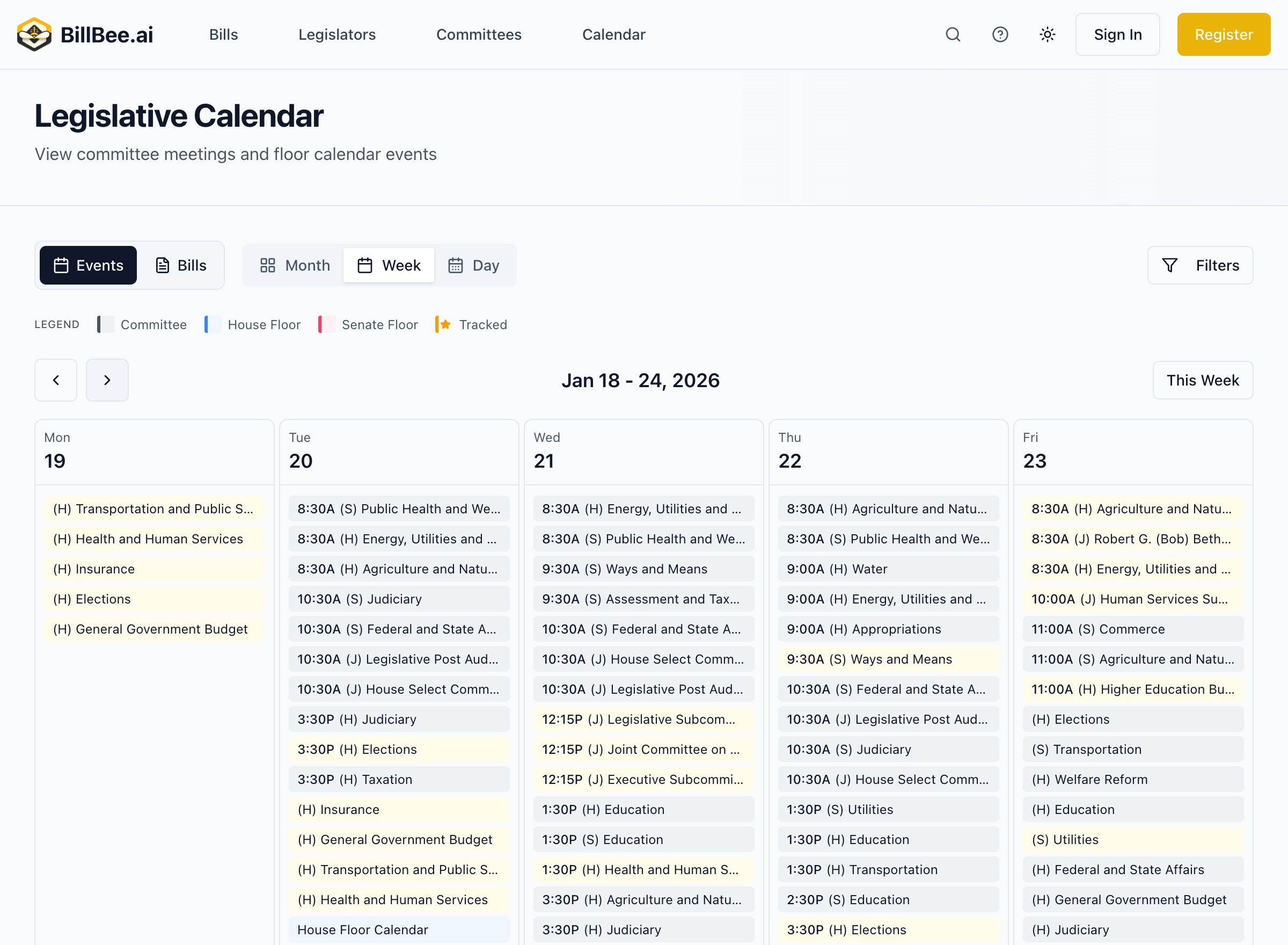
Finding Hearings
From the Calendar
- Go to Calendar
- Filter by Committee Hearings
- Browse upcoming hearings
- Click any hearing for details
From Bill Pages
- Open a bill you're interested in
- Check the Schedule section
- See if a hearing is scheduled
From Committee Pages
- Go to a specific committee
- View upcoming meetings
- See the hearing agenda
Hearing Information
Each hearing listing includes:
Basic Details
- Date and time - When the hearing occurs
- Location - Room in the Capitol
- Committee - Which committee is meeting
- Type - Hearing, work session, or informational
Agenda
- Bills to be considered
- Order of business (when available)
- Expected testimony time
Related Information
- Committee chair contact
- Rules for testimony
- Links to bill pages
Types of Hearings
Bill Hearings
Public hearings where testimony is taken:
- Proponent testimony - Supporters speak in favor
- Opponent testimony - Opponents speak against
- Neutral testimony - Informational testimony
- Written-only testimony - Submitted but not presented in person
Work Sessions
Committee members discuss bills without public testimony:
- Debate among members
- Amendment consideration
- Committee votes
Informational Hearings
Non-voting sessions for education:
- Agency briefings
- Expert presentations
- Status reports
Preparing for a Hearing
Before the Hearing
- Review the bill - Understand what it does
- Prepare testimony - Written and oral versions
- Confirm logistics - Time, location, rules
- Coordinate - If testifying with others
Testimony Rules
Common rules (verify with specific committee):
- Time limits (often 3-5 minutes oral)
- Sign-in requirements
- Written testimony submission deadlines
- Number of copies needed
Day of the Hearing
- Arrive early
- Sign in at the committee table
- Wait to be called
- Present testimony clearly
- Answer questions from members
Hearing Notifications
For Tracked Bills
When bills you're tracking are scheduled for hearing:
- Email notification with date/time/location
- In-app notification
- Calendar event
For Tracked Committees
When committees you're tracking schedule meetings:
- Meeting notifications
- Agenda updates
- Schedule changes
Hearing Outcomes
After hearings occur, BillBee updates:
Status Updates
- Committee actions taken
- Votes recorded
- Next steps for the bill