First Steps
Now that your account is set up, here's how to start using BillBee effectively.
1. Find Bills to Track
Start by exploring the bills currently in the Kansas legislature:
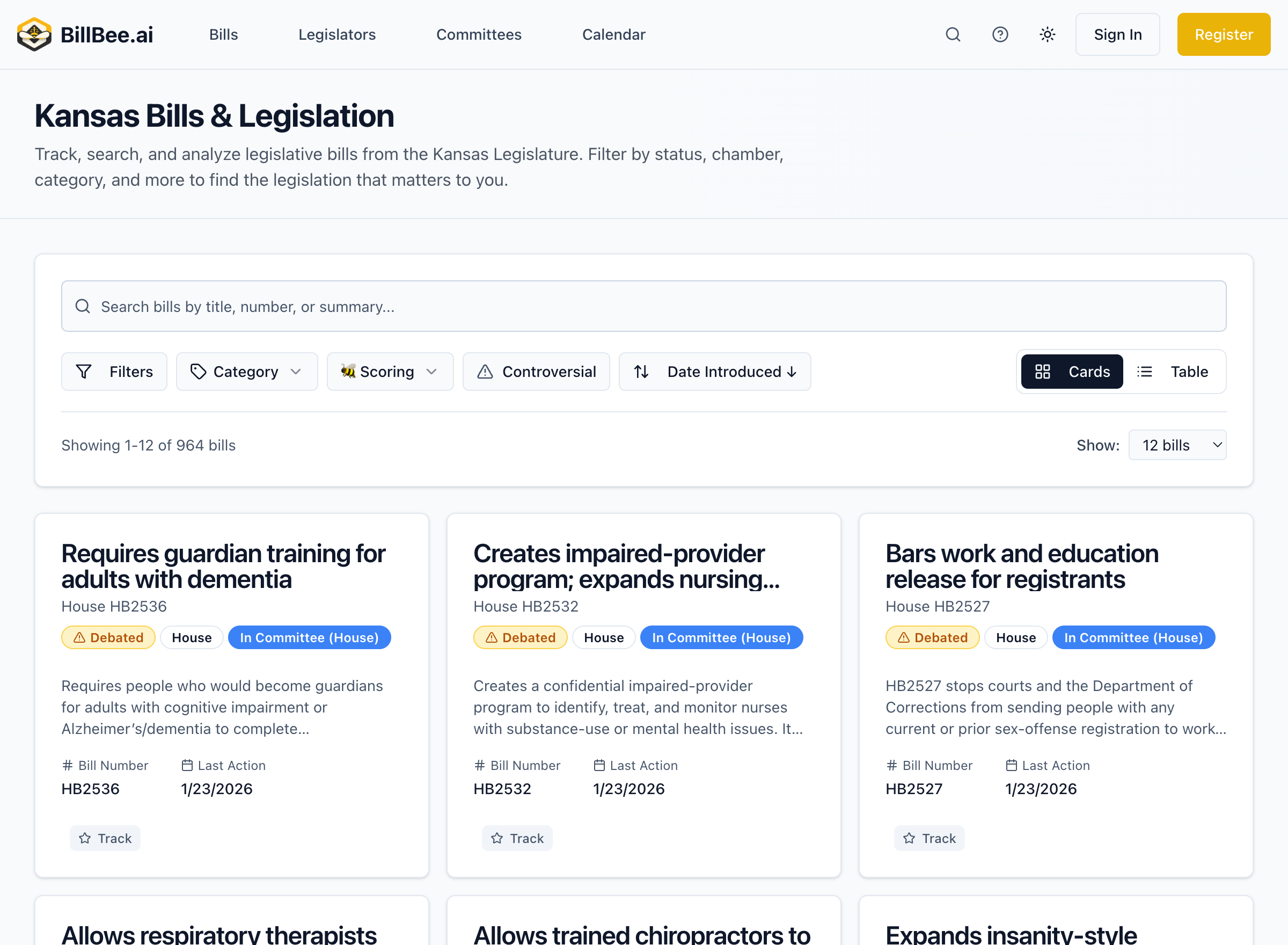
- Use the Search feature to find bills by keyword, topic, or bill number
- Browse bills by Committee or Subject Area
- Explore Trending Bills to see what others are following
Learn more about searching for bills
2. Track Your First Bill
When you find a bill you want to follow:
- Click on the bill to view its details
- Click the Track button
- Optionally, add tags or notes to help organize your tracked bills
You'll now receive updates whenever this bill has activity.
Learn more about tracking bills
3. Set Up Notifications
Configure how you want to be notified about bill updates:
- Email alerts - Get notified immediately when important changes occur
- Daily digest - Receive a summary of all activity once per day
- Weekly digest - Get a weekly roundup of legislative activity
Configure your notification settings
4. Explore AI Features
BillBee uses AI to help you understand legislation:
- Bill summaries - Plain-language explanations of what bills do
- Impact analysis - Understand how bills might affect different groups
- Amendment tracking - See how bills change over time
Tips for Success
- Start focused - Track bills most relevant to your interests
- Use tags - Organize bills by topic, priority, or project
- Check regularly - Review your dashboard to stay up to date
- Refine alerts - Adjust notification settings to avoid overload
Need Help?
If you have questions, check our FAQ or contact support.