Tracking Committees
Track committees to receive updates on committee activity and bills under consideration.
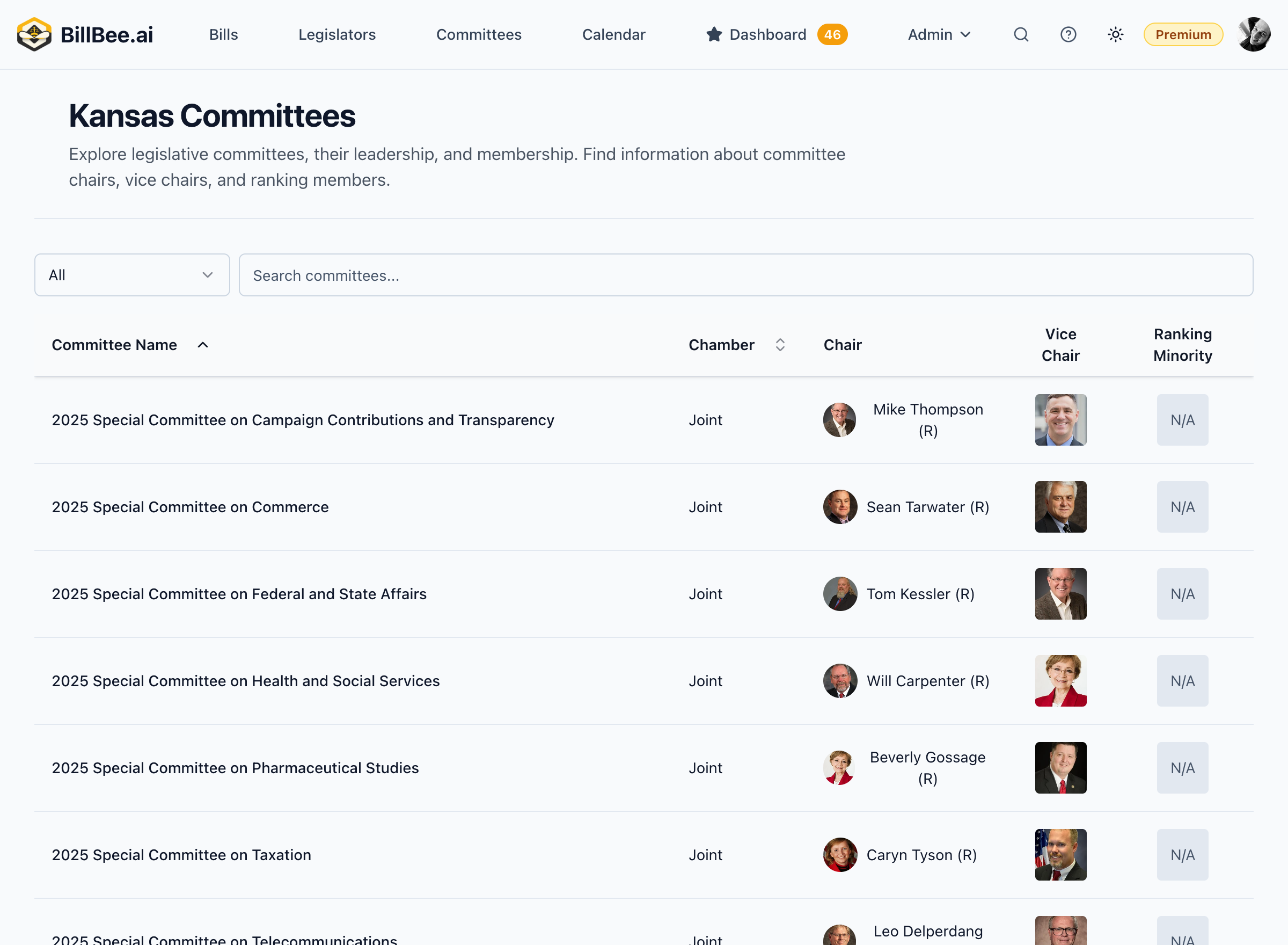
How to Track a Committee
- Go to Committees in the main navigation
- Browse or search for a committee
- Click on the committee to view its details
- Click the Track button
- The committee is added to your tracked committees
What You'll Receive
When you track a committee, BillBee notifies you about:
New Bills Assigned
- Bills referred to the committee by leadership
- Bills re-referred from other committees
Meetings Scheduled
- Hearing dates and times
- Agenda items (when available)
- Location information
Committee Actions
- Votes on bills
- Amendments adopted or rejected
- Bills passed out of committee
- Bills tabled or killed
Member Changes
- New appointments to the committee
- Leadership changes
- Mid-session replacements
Managing Tracked Committees
Access your tracked committees from the Dashboard:
- View all tracked committees in one place
- See recent activity at a glance
- Quickly access bills in each committee
- Remove committees you no longer need to follow
Tracked Committee Limits
- Free Plan: Up to 2 committees
- Citizen Plan: Up to 10 committees
- Professional Plan: Unlimited committee tracking
Combining with Bill Tracking
For comprehensive monitoring:
- Track the committee to know when meetings occur
- Track specific bills in that committee for detailed alerts
- Use saved searches to find new bills assigned to the committee
Tips for Committee Tracking
- Track committees early in the session to catch all activity
- Focus on relevant committees for your policy areas
- Monitor calendar for hearing schedules
- Review agendas before meetings to prepare testimony