Email Alerts
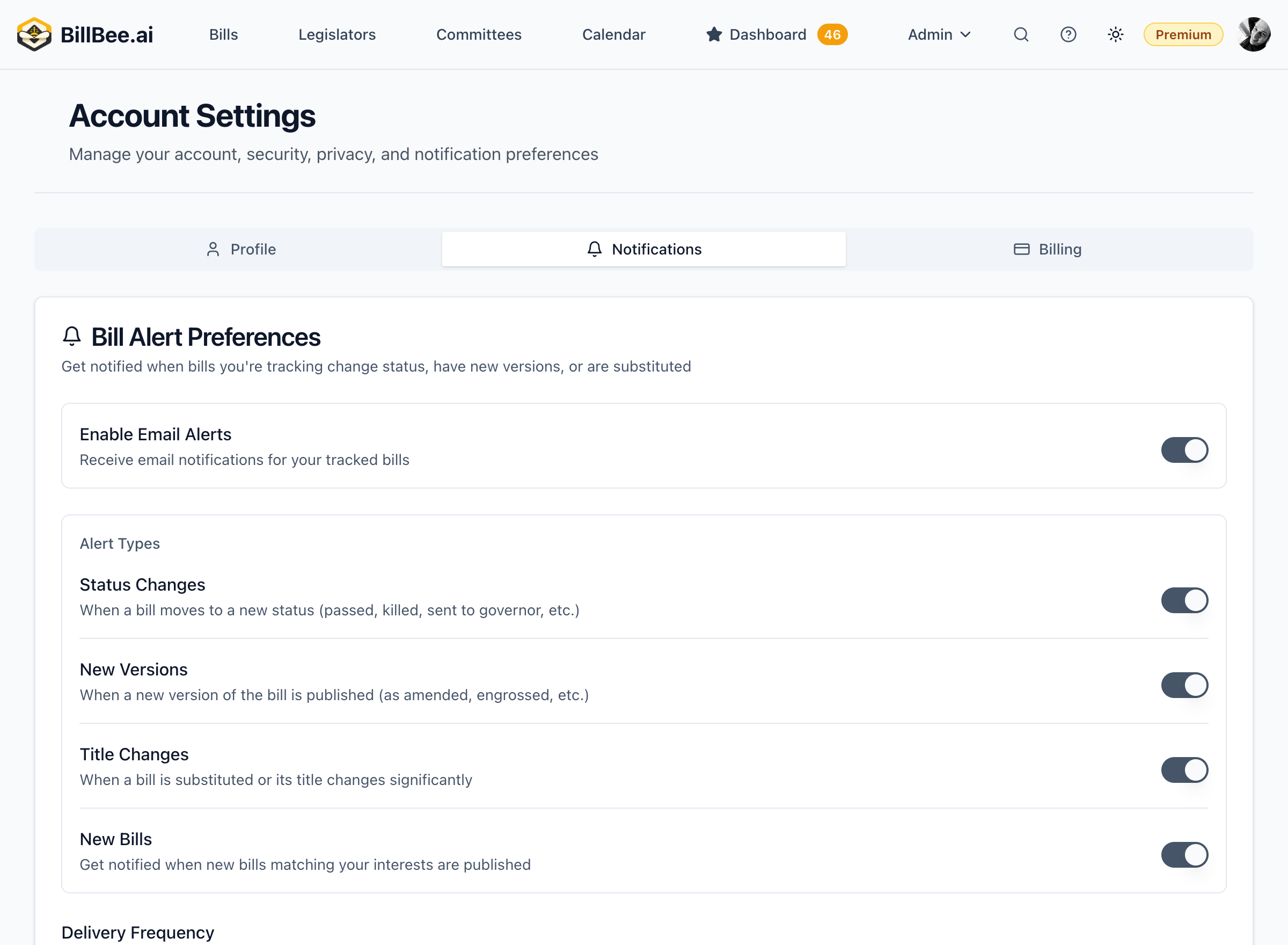
Configure real-time email notifications for bill activity.
Alert Types
Choose which events trigger immediate email alerts:
Status Changes
- Bill passes committee
- Bill passes a chamber
- Bill signed into law
- Bill vetoed
Legislative Activity
- Hearing scheduled
- Amendment filed
- Floor vote scheduled
- Vote results
New Bill Alerts (Paid Plans)
Citizen & Professional Plans
New Bill Alerts require a paid plan. Citizen users receive daily digest alerts; Professional users can get instant alerts.
Citizen and Professional plan users can receive alerts for new bills matching saved searches:
- Citizen: New bill alerts delivered in daily digest
- Professional: New bill alerts can be delivered instantly
Configuring Alerts
- Go to Settings > Notifications
- Select Email Alerts
- Toggle on/off alert types you want to receive
- Click Save
Alert Frequency Options
- Immediate - Get an email as soon as activity occurs
- Batched - Group alerts and send every few hours
- Digest only - Disable instant alerts, use digest instead
Managing Alert Volume
If you receive too many emails:
- Switch to batched or digest mode
- Reduce the number of tracked bills
- Limit alerts to major status changes only
- Use tags to focus alerts on priority bills
Troubleshooting
Not receiving alerts? Check:
- Your spam/junk folder
- That alerts are enabled in settings
- Your email address is verified
- The bill has had recent activity